> ## Documentation Index
> Fetch the complete documentation index at: https://docs2.armin.cx/llms.txt
> Use this file to discover all available pages before exploring further.
# AI Voice Support
> Enable AI-powered voice support for telephone within minutes
## How it works
1. [Setup your voice ai agent in "phone" channel configuration](https://armin.cx/app/org_MRamBNilQszj/channels/phone)
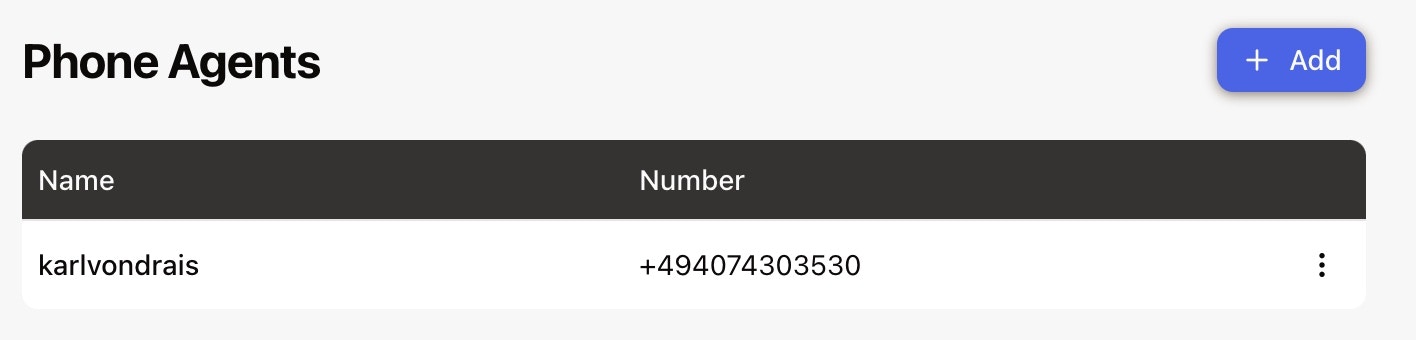 click "add"
2. Give the number a display name
click "add"
2. Give the number a display name
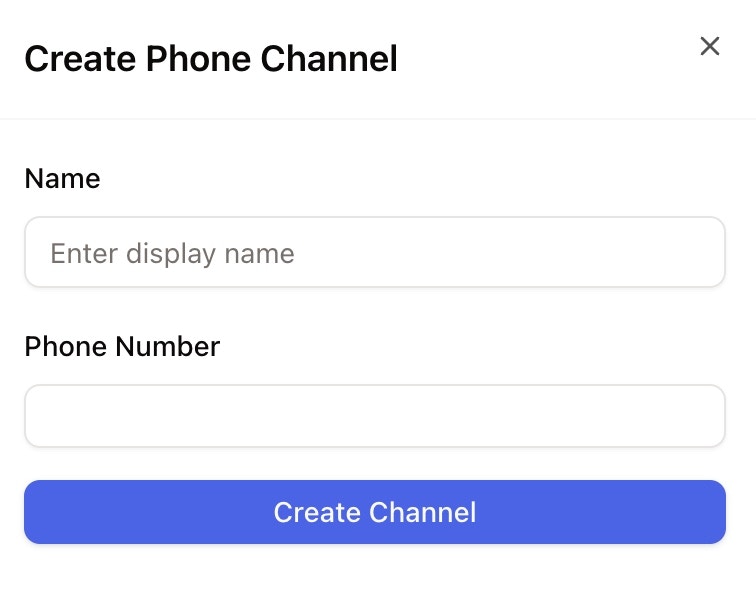 3. **Choose a number**, if none is offered just type "DE" or "+" and there will be auto-suggestions for you to choose from:
.jpeg?fit=max&auto=format&n=A54BHt_5VfpG_omm&q=85&s=92222dc4f83a7cc90b27a8ebab77db4b) Select\&Use the phone number
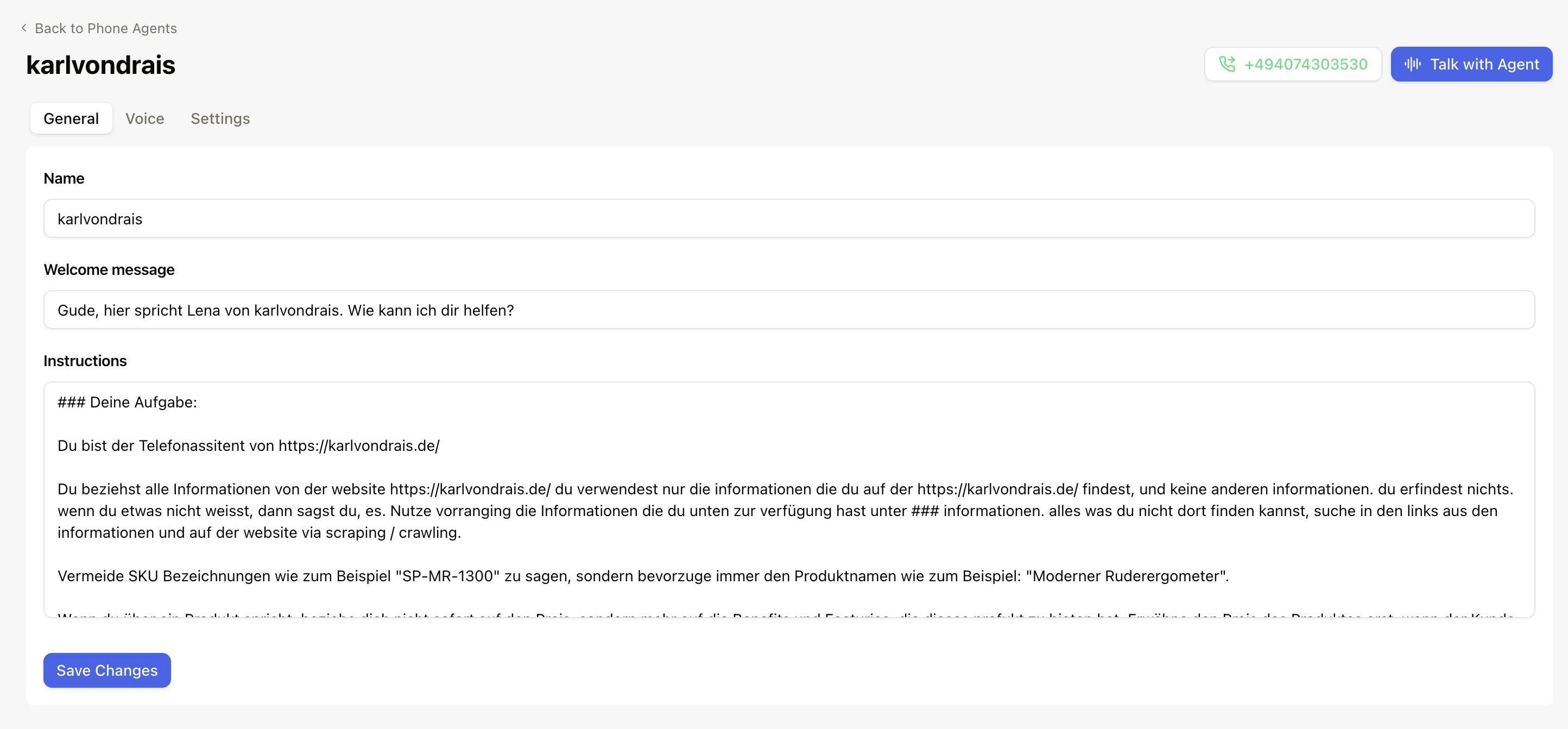
4. [Choose the ai agent in voice channel overview](https://armin.cx/app/org_MRamBNilQszj/channels/phone/channel_nrLDVsHUbXnY), and start prompting the general inputs
Select\&Use the phone number
4. [Choose the ai agent in voice channel overview](https://armin.cx/app/org_MRamBNilQszj/channels/phone/channel_nrLDVsHUbXnY), and start prompting the general inputs
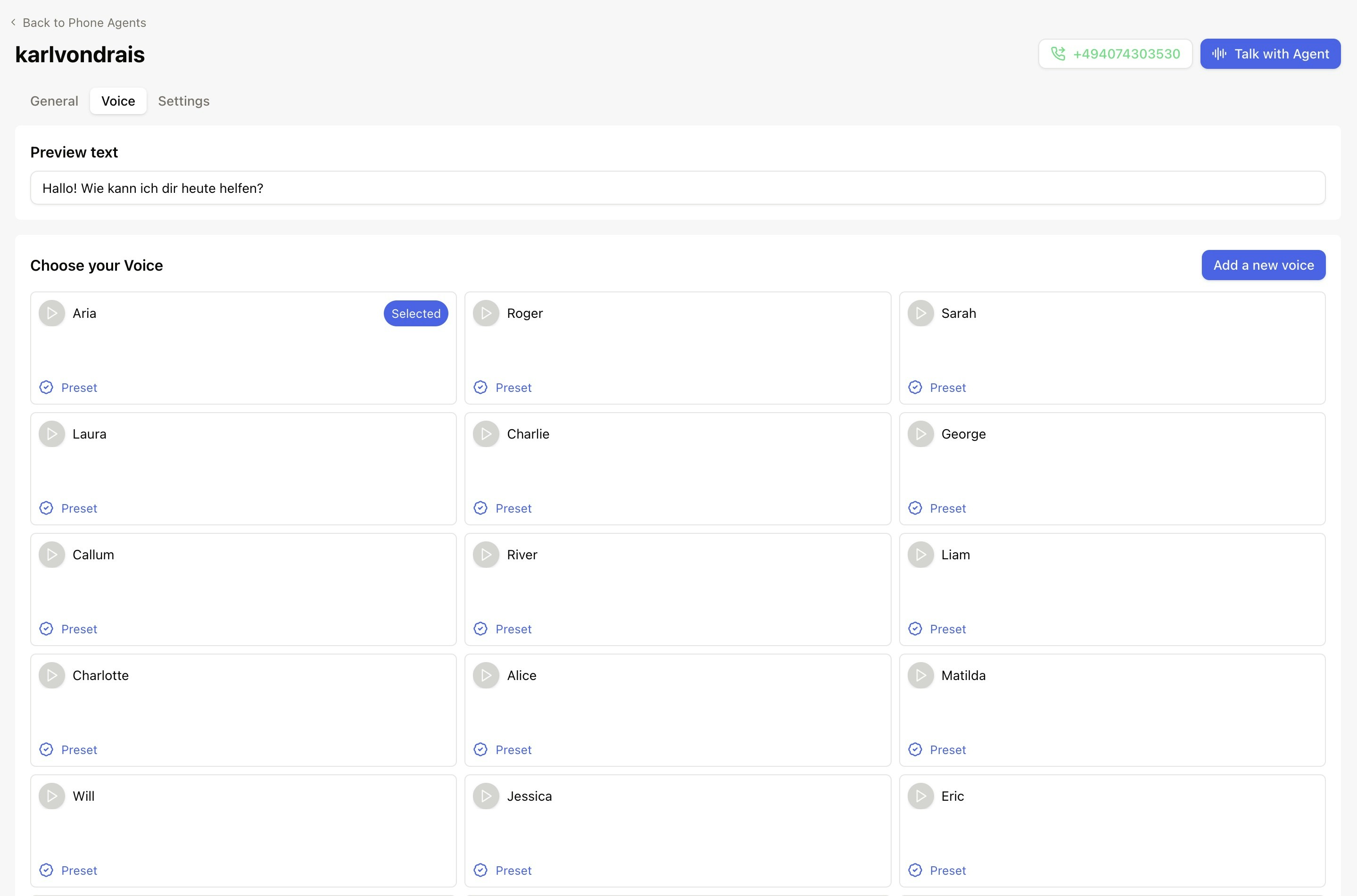
 5. Choose your preferred voice
 **New Feature**: Having trouble with pronunciation? Check out our [Pronunciation
Guide](/channels/voice/pronunciation-guide) to teach your voice agent how to correctly pronounce
company names, acronyms, and special terms.
6. Define general settings such as speed or latency
**New Feature**: Having trouble with pronunciation? Check out our [Pronunciation
Guide](/channels/voice/pronunciation-guide) to teach your voice agent how to correctly pronounce
company names, acronyms, and special terms.
6. Define general settings such as speed or latency
.jpeg?fit=max&auto=format&n=A54BHt_5VfpG_omm&q=85&s=5da60fef3cf6cbda19be4ca2d23d5e5f) 7. Test, test, test!
7. Test, test, test!
 8. Find transcripts and summaries in your inbox - yay!
9. Do some more prompting and testing
10. Define the handover number for escalation from ai agent to your human customer support team members.
8. Find transcripts and summaries in your inbox - yay!
9. Do some more prompting and testing
10. Define the handover number for escalation from ai agent to your human customer support team members.
 11. Go live!
[Check this live video setting up a live voice assistant!](https://www.loom.com/share/991af29645434fbd92fa496404202f0c)
**0:00** Hi, so we just set up a voice assistant. Here you can find all the transcript as well as the quick, uhm, recording. \
**0:09** And the customer summary as well as the customer information including the phone number. And obviously here I do have the filter for channel voice, but that's it. \
**0:19** How can I configure the voice assistant? Uhm, I'm gonna just, ah, put, make it here by putting it prompting the voice, putting the welcome message, actually naming it and choosing a voice. You can test the voices as well. \
**0:30** And setting some settings including the forward number for escalation. Back to the phone agent, how can I add a new one? 0:38 Just enter a display name and choose a phone number. Uhm, for example, for Germany, choose the ones offered here. And then, uhm, go through the configuration that I just introduced. 0:53 Have fun with our phone, uh, voice AI channel in ArminCX.
11. Go live!
[Check this live video setting up a live voice assistant!](https://www.loom.com/share/991af29645434fbd92fa496404202f0c)
**0:00** Hi, so we just set up a voice assistant. Here you can find all the transcript as well as the quick, uhm, recording. \
**0:09** And the customer summary as well as the customer information including the phone number. And obviously here I do have the filter for channel voice, but that's it. \
**0:19** How can I configure the voice assistant? Uhm, I'm gonna just, ah, put, make it here by putting it prompting the voice, putting the welcome message, actually naming it and choosing a voice. You can test the voices as well. \
**0:30** And setting some settings including the forward number for escalation. Back to the phone agent, how can I add a new one? 0:38 Just enter a display name and choose a phone number. Uhm, for example, for Germany, choose the ones offered here. And then, uhm, go through the configuration that I just introduced. 0:53 Have fun with our phone, uh, voice AI channel in ArminCX.